What to Expect: Gooseneck Advanced Support
March 18, 2026

What to Expect with Gooseneck Advanced Support

Last August, we introduced a new call routing system designed to make it easier for customers to connect with the right team at Gooseneck Implement. The goal was simple: get questions answered faster and get equipment back to work sooner, all with you—our customers—in mind.


Since launching that new call flow, we’ve seen great success—especially with our Extended Support team in Parts, which has helped customers quickly get the information and support they need. Now, we’re building on that success. With the launch of Gooseneck Advanced Support, we’re expanding this model to include additional service and technical support, bringing even more expertise into the process to help solve problems quickly.


What’s the Same
First and foremost, your local Gooseneck team is still here for you. Your store’s parts, sales, and service teams remain your primary connection, and they continue to support your equipment and operation just like they always have. The call routing structure introduced last year also remains in place, helping direct your call to the right area of our business faster.


What’s Different
The biggest difference is expanded support behind the scenes. Gooseneck Advanced Support introduces a second level of technical assistance designed to help resolve questions faster and provide additional support and expertise when needed. If a call or question can’t be resolved immediately at the location level, our advanced support team can step in to help with things like:

  • Precision Ag assistance
  • Software updates and technical troubleshooting
  • Remote display access support
  • Activations and subscriptions
  • Equipment specifications and documentation


This team works alongside our store teams to either resolve the issue directly or quickly follow up with the right solution.


What to Expect When You Call

When you call Gooseneck Implement, you’ll still follow a familiar call flow that helps guide your question to the right team. From there:

  • Our location teams continue to be your first point of contact.
  • If additional support is needed, the Advanced Support team can step in to assist.
  • In many cases, they can resolve the issue immediately or quickly call back with the right answer.


This layered support approach helps ensure customers have more experience, more resources, and faster solutions available when they need them most.


Building on What’s Working

We’ve seen firsthand how our teams’ expertise can improve the customer experience. The success of the Extended Support team in Parts showed us how valuable that model can be. Now, by expanding that approach into service and technical support, we’re taking the next step in delivering faster answers and stronger support across our organization. At the end of the day, it all comes back to one goal: protecting your uptime and helping keep your operation moving forward. Gooseneck Advanced Support is simply the next step in making that happen.
By McKensie Popinga July 14, 2026
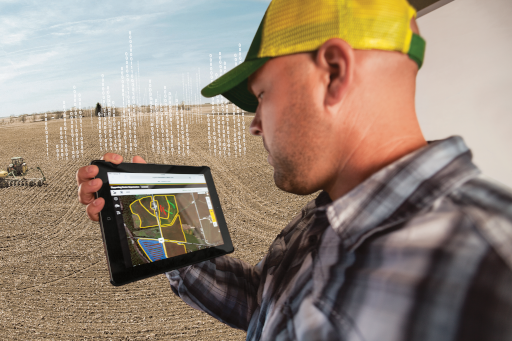
Harvest is busy enough without spending extra time creating work plans or correcting field information in the cab. That's why John Deere is introducing a new feature designed to make harvest setup easier and improve the quality of your documentation. Beginning August 3, John Deere Operations Center will automatically create harvest work plans for compatible machines using the seeding data already stored in your organization. How It Works Operations Center will use your spring seeding records to automatically generate harvest work plans and send them directly to compatible machines. If your seeding data is complete and accurate, those work plans will already include information like: · Client · Farm · Field · Crop type · Variety · Additional field information from your seeding records Instead of building harvest work plans manually, your operators can get to work with fewer button pushes in the cab and spend less time managing documentation throughout the season. Why This Matters Accurate spring data leads to accurate harvest records. When your seeding information is clean and organized, this new feature helps ensure your harvest documentation is just as accurate. That means: · Less setup time before harvest · Fewer manual entries in the cab · More accurate harvest documentation · Better records for reporting and future decision-making · Potentially less office work creating harvest work plans manually Is Your Operations Center Ready? This new feature is especially beneficial for operations that have maintained clean seeding data throughout the spring. If you're not completely confident in your Client, Farm, Field, varieties, or seeding records, now is a great time to get everything cleaned up before harvest begins. Post Seeding Maintenance Package Our Precision Ag team is offering a one-time Post Seeding Maintenance Package for $500 to help prepare your Operations Center for harvest. The package includes: · Operations Center Data Cleanup · Client, Farm, and Field organization cleanup · Review and correction of post-seeding data, including: o Varieties o Acres o Task dates o Other planting information · Boundary Creation (Upon Request) o Create or update field boundaries for improved documentation and mapping · FSA & Crop Insurance Reporting Binder (Upon Request) o Receive a complete binder containing: - Seeding dates - Varieties - Acres - Additional seeding information - True field boundaries that remove overlap and identify prevented seeding acres - Seeding coverage maps with field information Whether you're preparing for harvest or organizing records for reporting, this package helps ensure your data is accurate and ready when you need it. Want to Disable Automatic Work Plans? Organizations will have Automatic Harvest Work Plans enabled by default. If you prefer to continue creating harvest work plans manually, the feature can be turned off in your Organization Preferences before August 3.  While we expect most customers will benefit from having this feature enabled, it's helpful to know you have the option to manage this setting based on your operation's preferences. Need Help? If you'd like assistance reviewing your Operations Center data or would like to schedule a Post Seeding Maintenance appointment, contact your Gooseneck Implement Account Manager today. We'll help make sure your data is organized, accurate, and ready for harvest.
By McKensie Popinga June 17, 2026
Get Harvest Ready with Gooseneck Implement’s 2026 Harvest Clinics!
May 20, 2026
Meet Andrew!  General Manager, Velva
By McKensie Popinga April 6, 2026
Stay local or go to campus—either way, you’re on the path to becoming a John Deere technician with Gooseneck Implement.
April 1, 2026
Start Your Career While You Earn Your Degree: JDTECH Virtual Program
March 20, 2026
Meet the Team Behind Gooseneck Advanced Support
March 19, 2026
Why Your GS2 or GS3 Display May Be Missing Activations (And What to Do Next)
March 16, 2026
Leveling Up Customer Support: Introducing Gooseneck Advanced Support
March 4, 2026
Meet Greg! General Manager, Dickinson
February 26, 2026
Big Iron, Smarter Tech & More Power: John Deere’s Highlights from Commodity Classic
More Posts